Google Photos and Google Takeout
How to make a photo book from Google Photos
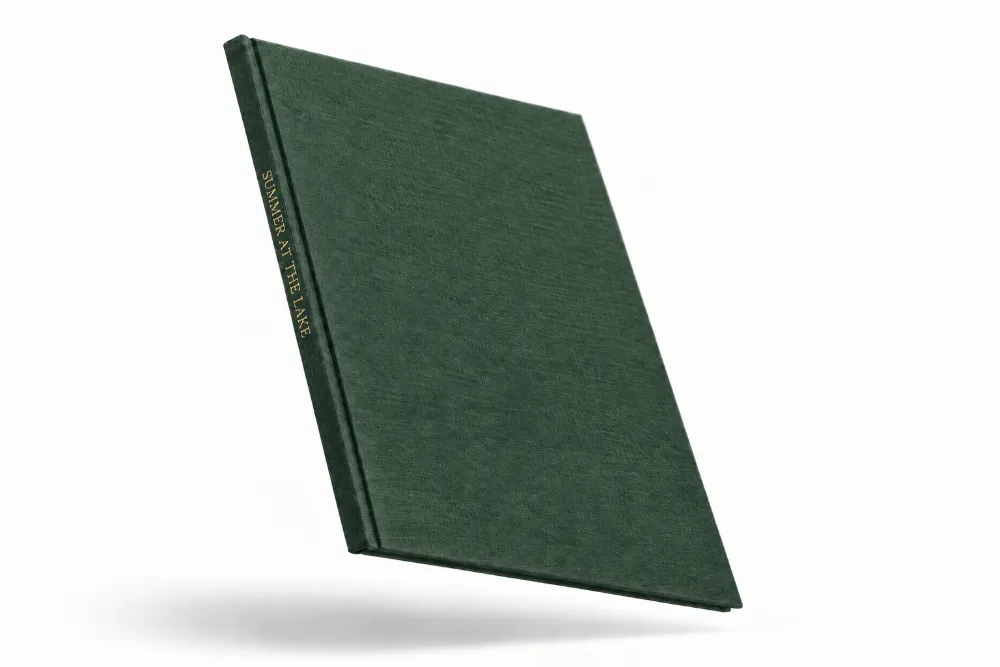
Export the years you want from Google Photos using Google Takeout, then upload the export to Photouria. Photouria automatically organises your photos, finds the people in them, and lays out a book you can adjust before printing. The book is a linen hardcover from NZ$149 with shipping included, and building it is free.
The one thing worth knowing before you start: in Takeout, deselect everything and tick only the years you actually want. Exporting a whole ten year library produces an enormous download for no benefit.
In New Zealand or Australia? Google’s own photo books are not sold there. There is a page on making a Google Photos photo book in NZ.
How do I get my photos out of Google Photos?
Google Takeout is Google's own export tool, and it is the supported way to get your original files out. It takes about two minutes to set up, then Google emails you a download link when the export is ready.
Step by step
- Go to takeout.google.com and sign in to the Google account the photos are in.
- Under Select data to include, tap Deselect all, then tick Google Photos only.
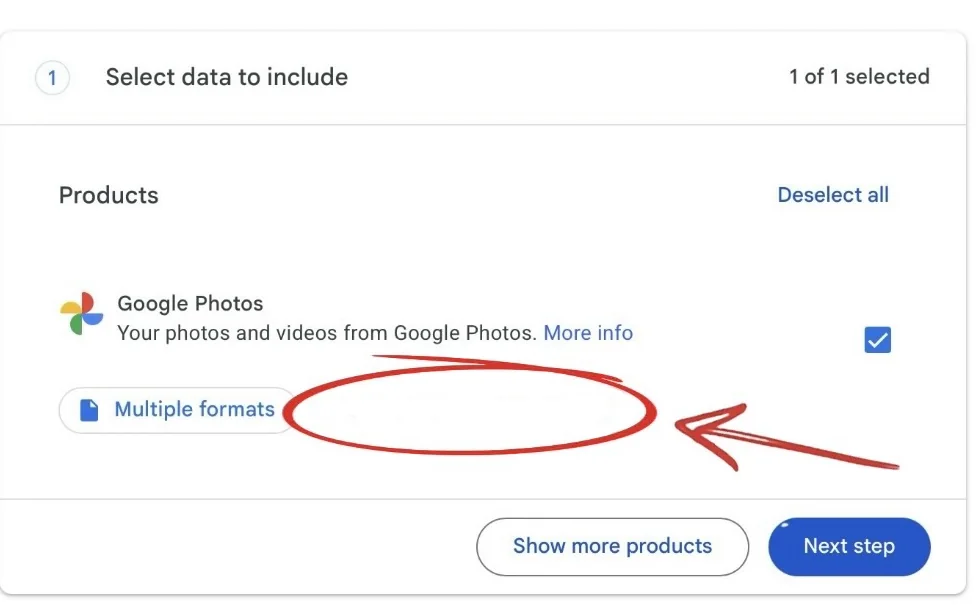
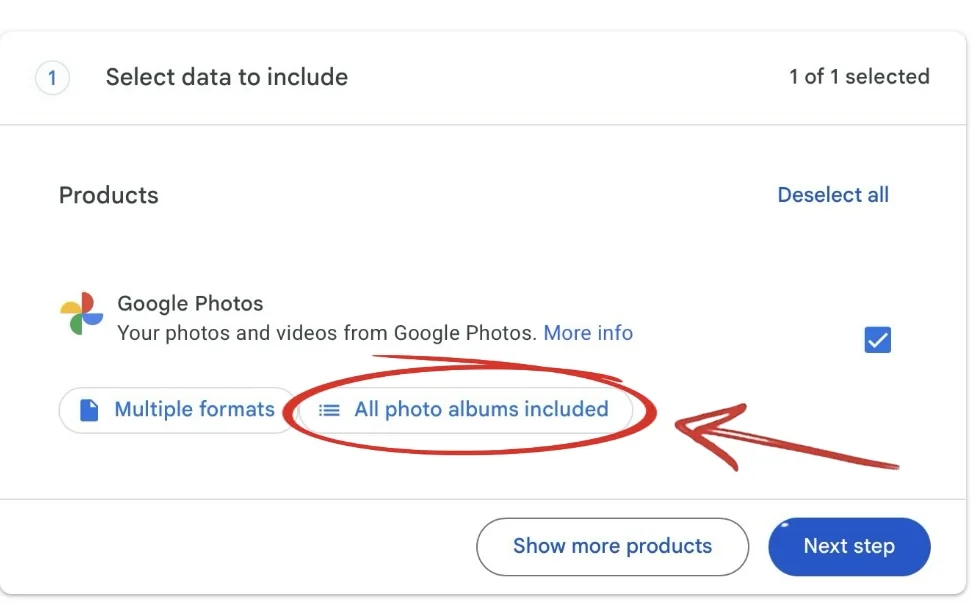
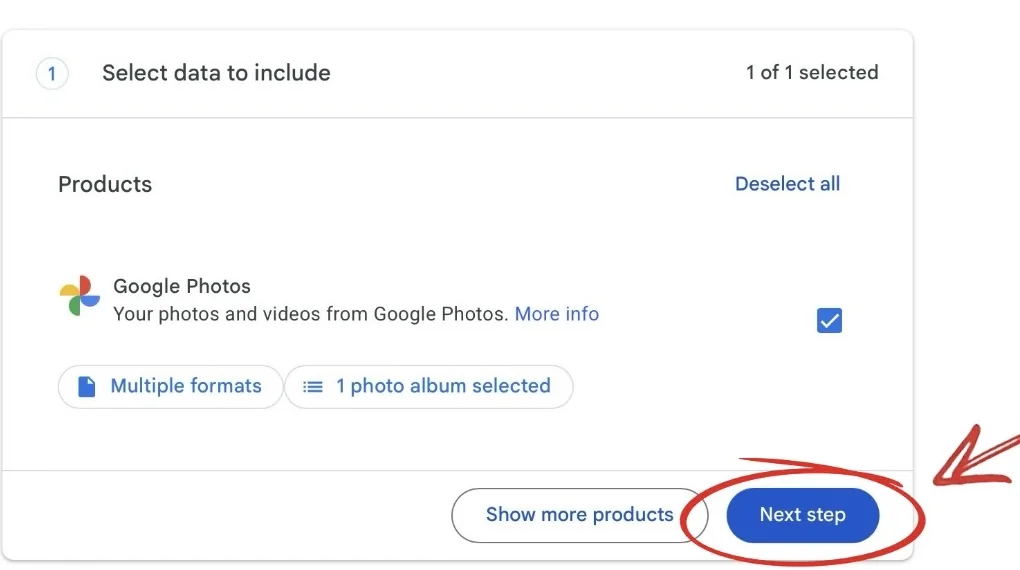
- Wait a couple of seconds for the All photo albums included button to appear under Google Photos, then tap it. It is not there immediately, which is the step most people get stuck on.
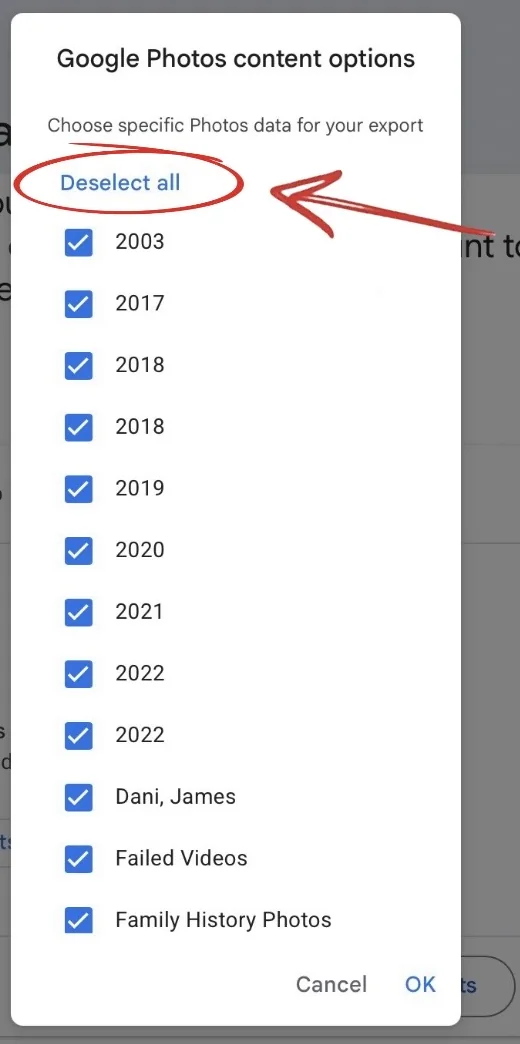
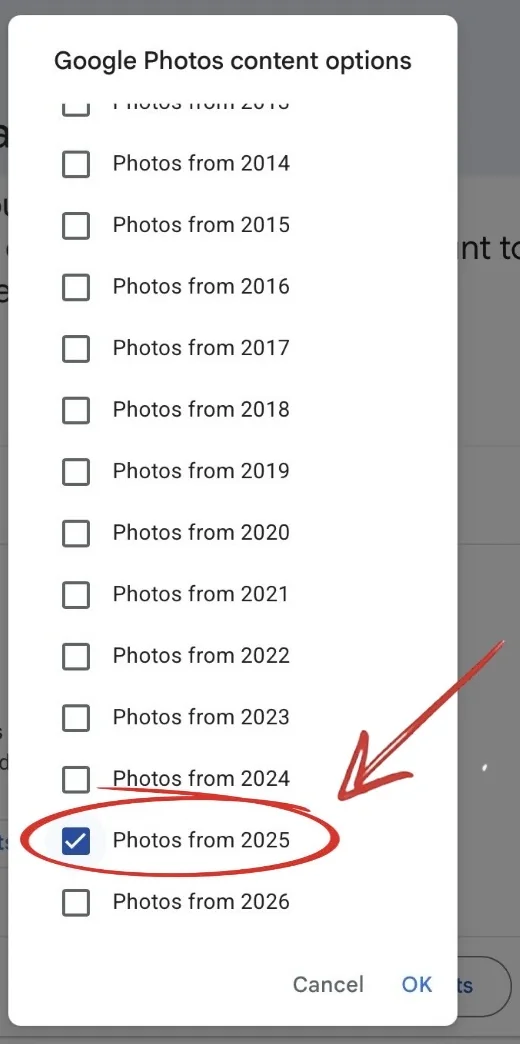
- In the dialog, tap Deselect all at the top.
- Tick only the years you want in the book, then confirm.
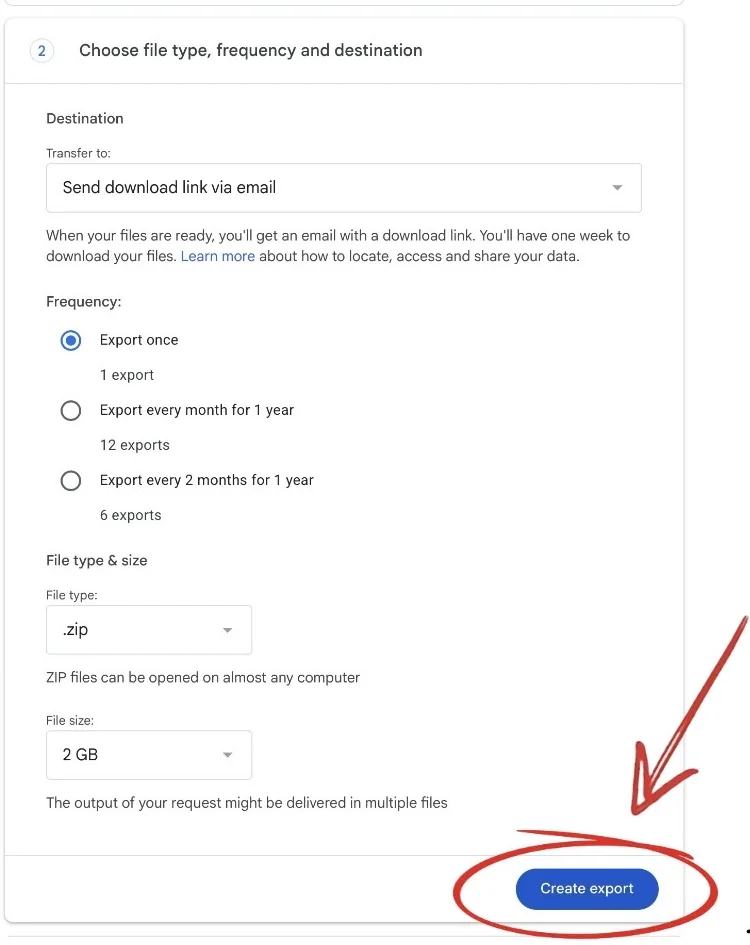
- Tap Next step, leave the destination as a download link by email, and tap Create export.
- When Google emails the link, download the file and upload it to Photouria.
How long does a Google Takeout export take?
Minutes for one year, and several hours for a large library. Google decides that, not us. The export arrives as one or more zip files, and you can start uploading the first one as soon as it lands.
This is the main reason to tick only the years you want. A single year of photos is a manageable download and is usually more than enough for a book of 24 to 100 photos.
What happens after I upload the export?
Photouria reads the photos out of the export, keeps the dates and locations that came with them, and finds every photo of the people you love so that each person becomes something you can select. You choose who the book is about and how many photos it should hold, and the layout is built for you to review.
If you want a book about one person in particular, that is the same flow described in more detail on making a photo book of one person.
Do I have to use Takeout, or can I upload from my phone?
Takeout is one of three ways in, and most people use more than one. They all land in the same library.
| Straight from your phone | From a computer | Google Takeout | |
|---|---|---|---|
| Best for | Recent photos, and the ones you already know you want | Photos saved off old phones and cameras | A Google Photos library going back years |
| Setup | None. Pick photos and upload | None. Choose a folder and upload | About two minutes at takeout.google.com |
| Waiting | Upload time only | Upload time only | Minutes to hours while Google prepares the export |
| Keeps dates and places | Yes | Yes | Yes |
| Watch out for | Phone libraries can be missing older years | Nothing in particular | Deselect all first, or you will export everything |
Why does Photouria not connect to Google Photos directly?
It used to. Google changed what applications like ours are permitted to do with data from the Google Photos API, and we removed the direct connection in 2026 rather than operate outside those terms. Takeout is Google's own export route, it is unaffected, and it has one practical advantage: you get your original files rather than re-compressed copies, which is what a printed book wants.
What is the printed book like?
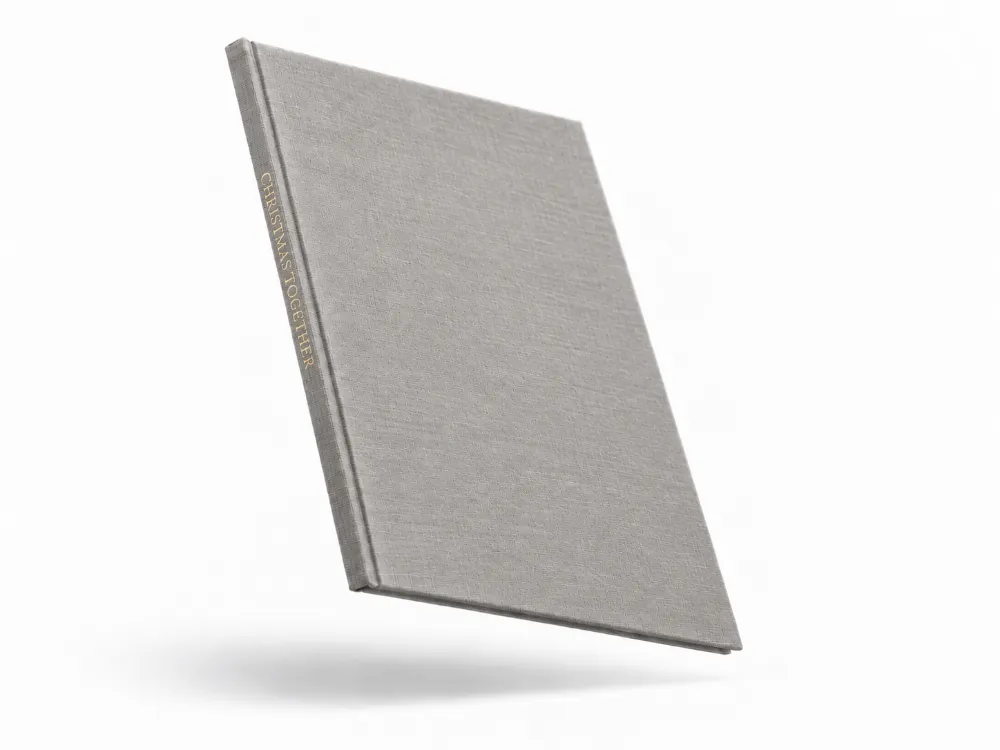
Every Photouria book is the same object: a linen hardcover, woven linen over hardcover boards, your title foil stamped on the spine, and a printed dust jacket over the top. There are six sizes, from 14 × 22 cm up to A4 at 21 × 30 cm, and six linen colours. Inside, photos print on 80lb coated paper with a matte finish, and a book can run from 24 pages up to 800.
NZ$149 covers up to 30 photos, then NZ$10 for every 10 more, capped at NZ$219 from 91 photos up. Shipping is included. Books are printed to order and delivery usually takes 4 to 13 business days. Photouria ships to New Zealand, Australia, the United States, Canada, the United Kingdom and most of Europe.
Questions about Google Photos and Takeout
Can I make a photo book from Google Photos?
Yes. Export the years you want with Google Takeout, upload the export to Photouria, and the book is laid out from those photos.
What is Google Takeout?
Google's own tool for downloading a copy of your data. For photos it produces zip files containing your original image files, which is exactly what a printed book needs.
Do I have to export my entire Google Photos library?
No, and you should not. Tap Deselect all in the album dialog and tick only the years you want. A whole library is a very large download and a book only needs 24 to 100 photos.
The All photo albums included button is missing. What now?
Wait a couple of seconds. It loads after the rest of the row and appears beside the Multiple formats button.
My export came as several zip files. Is that a problem?
No. Google splits large exports into parts. Upload them and the photos go into the same library.
Will the dates and places survive the export?
Yes. Takeout carries the capture date and, where the photo has one, the location, so the book can be ordered by when things actually happened.
Can I mix Google Photos with photos from my phone?
Yes. Uploads from a phone, a computer, and a Takeout export all go into one library, and duplicates between them are handled.
What does the book cost and when does it arrive?
NZ$149 covers up to 30 photos, then NZ$10 for every 10 more, capped at NZ$219 from 91 photos up. Shipping is included, and delivery usually takes 4 to 13 business days from the day you order.